Students & Knowledge Workers
Focus Sessions
The Pomodoro Technique works because it forces structured breaks, but a loud alarm at the end of every 25-minute block can yank you out of deep work harder than a phone call. A gentle haptic nudge lets you exit flow gracefully.
Most knowledge workers can hold deep focus for 25 to 90 minutes at a stretch. The classic Pomodoro split (25 minutes of work, 5 minutes of break, repeat four times, then a longer break) maps cleanly onto how attention actually decays. But the audible kitchen-timer alarm at the heart of the original technique fights against the calm state you spent the last 25 minutes building.
Haptica Timer replaces that alarm with a gentle haptic pulse. You feel the end of a focus block as a tap on your wrist or in your pocket, enough to register without breaking your train of thought. You can choose to push through the cue and finish a paragraph, or stand up immediately. Either way, you exit the session on your own terms.
For longer focus practice, a 50-minute block, a 90-minute deep-work session, or a custom academic schedule, set a custom interval template once and reuse it. iCloud sync means your favorite focus timer is identical on iPhone (for desk work) and Apple Watch (for offline reading or whiteboard sessions where the phone is in another room).
"Pomodoro without the jarring alarm. My focus sessions actually flow now." by Jake, Software Engineer
How it works
- 1
Pick a focus length that matches your work, 25, 50, or 90 minutes.
- 2
Pick a break length (5-20 minutes is typical).
- 3
Choose a gentle haptic pattern so the cue is felt, not jarring.
- 4
Start the timer and work. Feel the tap when it's time to break.
Tips for focus sessions
- Use the gentlest haptic intensity for focus blocks, you want a nudge, not a jolt.
- Pair the timer with 'Do Not Disturb' so it's the only interruption you allow.
- Run the same template every day to build a Pavlovian focus response.
- Reserve a stronger haptic pattern for the 'long break' so you can tell it apart from a regular break.
Related Haptica Timer features
The Haptica Timer features that power this workflow:
Browse the full list of haptic timer features for iPhone & Apple Watch.
Focus Sessions FAQ
Practical focus sessions articles

A Quiet Pomodoro Workflow for Apple Watch
Create a quiet Pomodoro-style workflow with an Apple Watch, clear work intentions, useful breaks, and fewer reasons to check a screen.
Read the article →
Timeboxing for Deep Work: Build Focus Blocks That Hold Up
Build realistic deep-work timeboxes with a clear outcome, protected start, recovery break, and quiet timing cues that do not become distractions.
Read the article →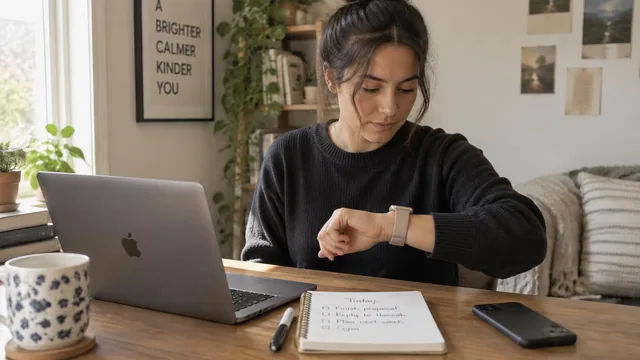
ADHD and Time Blindness: Using Tactile Cues Instead of Alarms
A practical guide to managing ADHD time blindness with silent wrist cues, short start ramps, and gentle exit warnings instead of loud phone alarms.
Read the article →More haptic timer use cases
Try Haptica Timer for Focus Sessions
Download Haptica Timer and choose annual or lifetime access. Both purchase options include the same features.